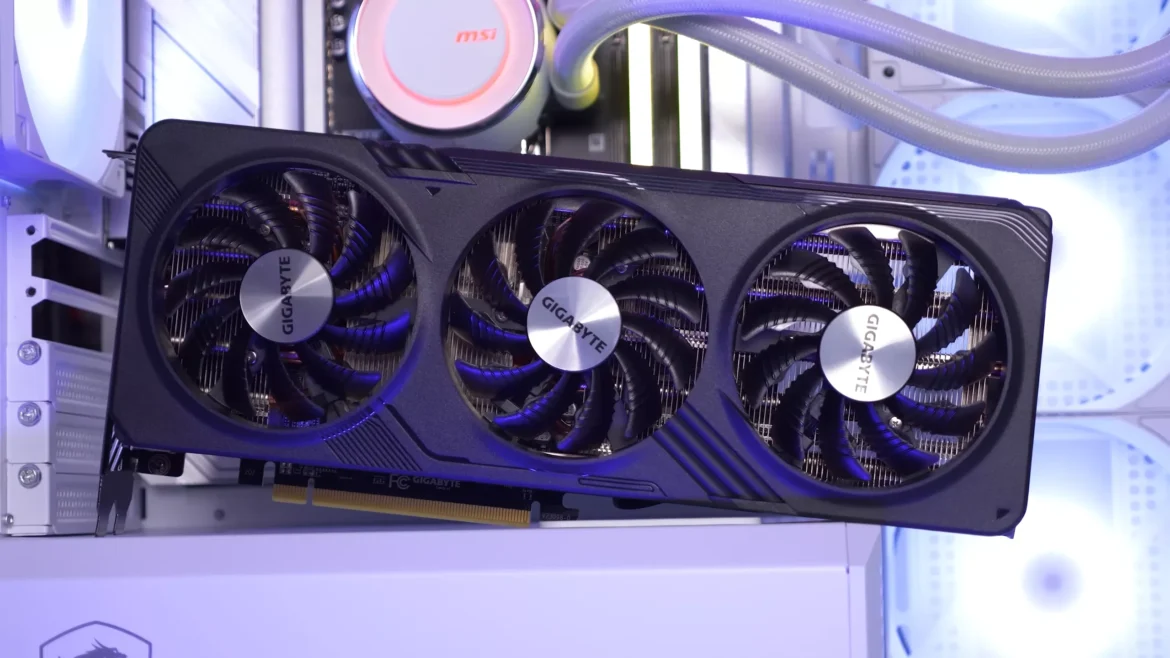
An apex gaming PC should have at least 16GB of RAM, a mid-range GPU, and 512GB of SSD storage. But that’s only the beginning of what serious players should think about.
It’s not necessary to buy the most expensive parts to make the best setup for competitive games. It’s about figuring out what really affects success in fast-paced matches and intense firefights. A lot of players waste hundreds of dollars on upgrades that aren’t needed and don’t pay attention to the specs that really count.
Having the right mix of gear can make the difference between choppy gameplay and smooth performance. This guide breaks down exactly what gamers need to win battles without spending a lot of money.
Understanding Apex Legends System Requirements: The Foundation
Before diving into specific components, understanding the baseline Apex Legends system requirements helps set realistic expectations. The game can be played on pretty basic hardware, but “running” is not the same as “thriving.”
Minimum specifications include 6GB RAM and graphics cards like the GeForce. On the other hand, these barely get above 60fps on low settings. Minimum specs won’t cut it for professional games.
It is suggested that you get 8GB of RAM and a GPU like the GeForce GTX 970. This works pretty well in 1080p, but it’s still not up to current standards.
In reality, modern games need more than that. If players want to get ahead in the game, they need hardware that is much better than what the official suggestions say.
RAM Requirements: How Memory Impacts Gaming Performance
RAM acts as the short-term memory for a gaming pc. Textures, player models, and map files all take up memory space when players load into matches.
The 16GB Sweet Spot
For most gamers, 16GB is the best combination of price and speed. This amount of space is enough to run current games smoothly, plus it leaves room for background programs like Discord or streaming software.
When things get hectic, running with only 8GB causes problems. When memory is full, frame drops and stuttering often happen, especially when Chrome tabs or music players are running at the same time.
When 32GB Makes Sense
Content creators who stream games or edit movies can benefit from 32GB configurations. Because it has more space, it doesn’t slow down when doing more than one thing at once.
For pure gaming reasons, 32GB isn’t much better than 16GB right now. However, it provides future-proofing as upcoming titles grow more demanding.
Speed Matters Too
RAM speed affects how quickly the system responds as a whole. DDR4-3200MHz is the standard for new builds, while DDR4-3600MHz gives small performance boosts for a small extra cost.
GPU Power: The Heart of Gaming Performance
Frame rates, visual quality, and general smoothness are all controlled by graphics cards. This part should get the most significant chunk of any gamer’s budget.
Entry-Level Options for Budget Builds
At middle to high settings, cards like the GTX 1660 Super or RX 6500 XT can handle 1080p games. These work well at 60fps or higher without breaking the bank.
TITAN – AMD Ryzen 5 4500 16GB AMD RX580 8GB 400SE is a great deal for people who want to start professional gaming. This pre-built system strikes a good mix between the powerful GPU and other essential parts.
Mid-Range Champions
In the middle price band, RTX 3060 Ti and RX 6700 XT cards are the most popular. These are great for games at 1440p and easily handle 144fps+ at 1080p.
The Nova – i3 12th 16GB Nvidia RTX 3050 6GB 130MS configuration makes speed a lot better. This system is made for serious gamers who want clear graphics and fast frame rates.
High-End Performance
Frame rates go through the roof with RTX 4070 and RX 7800 XT cards. You don’t have to choose between 4K games and maxing out the settings on these.
If you want the best speed, the Spectra – i3 12th 16GB AMD RADEON RX550 4GB 810MS has the best specs. Any game that is thrown at this machine will fail.
VRAM Considerations
More and more, modern games need video memory. Cards with 8GB VRAM are the minimum, while cards with 12GB or more VRAM last longer.
Storage Solutions: Speed vs Capacity
Storage has a big impact on load times, the number of games that can be installed, and how quickly the system responds overall.
SSD vs HDD: No Contest
Solid-state drives can start games a lot faster than regular hard drives. If the wait time is 30 seconds instead of 5 seconds, it makes a huge difference in how fun the game is.
SSDs should be the main storage on all modern gaming PCs. It only makes sense to use hard drives to store a lot of media files.
Capacity Planning
512GB SSDs are more than enough space for operating systems and 5–10 current games. For serious gamers, this is the bare minimum.
You can get a lot more for your money with 1TB drives. This size lets you store more games without having to constantly remove and reinstall them.
2TB+ configurations are good for players with large libraries or content makers who need to store a lot of video footage.
NVMe vs SATA
NVMe drives are much faster than SATA SSDs because they use PCIe lines. Most of the time, load times get 30–50% faster.
The difference in prices has shrunk a lot. Right now, NVMe is the best choice for main game storage.
Balancing Components: Creating the Perfect System
| Component | Budget Build | Mid-Range Build | High-End Build |
| RAM | 16GB DDR4-3200 | 16GB DDR4-3600 | 32GB DDR4-3600 |
| GPU | GTX 1660 Super | RTX 3060 Ti | RTX 4070 |
| Storage | 512GB NVMe | 1TB NVMe | 2TB NVMe |
| Expected FPS | 60-90fps (1080p) | 120-165fps (1080p/1440p) | 165-240fps (1440p/4K) |
To make a system that works well, you need to avoid bottlenecks. When you pair a powerful GPU with not enough RAM, you waste speed potential.
Future-Proofing Your Investment
Technology changes quickly, but making wise choices can make systems last a lot longer. Buying good parts now will save you a lot of money on upgrades later on.
Upgradeability Matters
It’s easy to make upgrades if you choose motherboards with extra RAM slots and GPU compatibility. This makes the system worthwhile for a few more years.
Power Supply Considerations
Power sources that are made well last through many builds. Buying 650W+ units that are 80+ Gold certified protects parts and lets you update the GPU in the future.
Common Mistakes to Avoid
A lot of builders spend too much on aesthetics and not enough on function. It looks great, but RGB lighting doesn’t speed up games.
Others neglect cooling solutions, which causes thermal throttling, which lowers efficiency. When there is enough airflow, speeds stay the same during long game sessions.
Choosing HDDs over SSDs to save money on storage represents a false economy. The small price increase is fully justified by the difference in performance.
Get Ready to Improve Your Apex Gameplay!
You don’t need a degree in computer science to choose the right parts for an Apex gaming PC. Pay attention to specs that are well-balanced and fit your gaming goals and funds.
For most gamers, 16GB of RAM, a good mid-range GPU, and 1TB of NVMe storage is the best combination. It works really well and doesn’t cost too much with this combo.
With the right balance of parts, you get better performance, better value, and a setup that keeps up with every match.
please follow us on Vibe Linker.